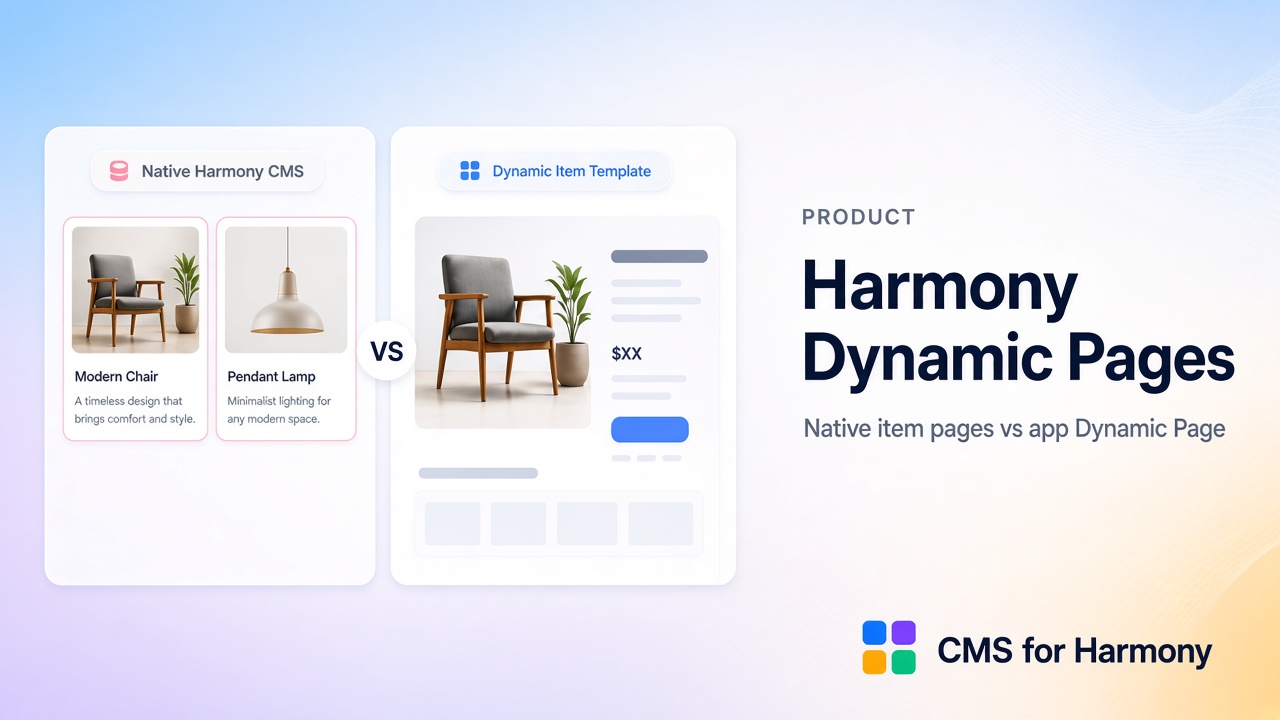
Wix Harmony’s built-in CMS can give each collection item its own item page URL using native design elements. CMS for Harmony places its Dynamic Page widget on that same native collection page for layouts, field mapping, and optional per-item SEO—still app widgets only, not binding native Text/Image/Button. From version 14 the app no longer adds its own /item Site Page. Use native elements when Harmony’s design-system binding is enough; use the Dynamic Page widget when you need its layouts alongside Table/Repeater filters, richer field displays, or Pro catalog payments on the detail view.
Feature comparison
| Need | Native Harmony item pages | CMS for Harmony Dynamic Page |
|---|---|---|
| Per-item URL | Yes (Harmony CMS item pages / slugs) | Yes — the same native collection page; Item slug |
| Layout | Native elements in the item page | Dynamic Page app widget |
| List → detail | Native Repeater links | Repeater/Table/etc. → Dynamic Page URLs |
| Visitor search on detail | N/A (detail is one item) | No visitor search/filters on Dynamic Page |
| Catalog payments on detail | Not this app path | Pro Enable payments + Buy now / Add to cart on Dynamic Page |
| Google Sheets rows | N/A | Not supported for Dynamic Page / item links |
| Classic / Studio | Harmony-specific model | Same app Dynamic Page on Classic, Studio, Harmony |
What native Harmony item pages do well
- Stay inside Harmony’s linked design model (pink/blue cues)
- Map Text, images, and buttons in the native item without installing an app
- Fit simple profiles and product-like pages when field types and layout are enough
If your directory is a native Repeater plus native item pages, you may not need the app’s Dynamic Page.
What CMS for Harmony Dynamic Page adds
- A dedicated Dynamic Page widget on the native collection page, with collection connection and field mapping
- Page path and Item slug so the widget and list links open the same URLs
- Optional per-item SEO field mapping for search and social previews
- Pairing with app list widgets that already use search & filters
- Pro catalog payments on the detail page (Add to cart / Buy now)
- Same toolkit if the site is on Classic or Studio
Scope: The app does not turn native Harmony Text/Image/Button into CMS bindings. “Cards” on list pages = Repeater layout.
Choose this if…
| Choose… | If… |
|---|---|
| Native Harmony item pages | You are all-in on Harmony native Repeaters and simple field binding |
| CMS for Harmony Dynamic Page | You already use app lists/filters/forms, need Dynamic Page SEO mapping, Pro payments on detail, or cross-editor consistency |
| Both on one site | Possible in principle for different sections—avoid duplicating the same collection’s URL strategy twice without a clear reason |
Setup sketch (app path)
- Create a collection and choose More actions → Add collection page.
- Add the Dynamic Page widget to that native page.
- Connect the collection; set Page path to the page path and Page link field to Item slug.
- Map content and optional SEO fields.
- Link list widgets to item URLs with the same path and field.
- Publish.
Full walkthrough: How to set up Dynamic Pages.
Exact limitations (app)
- Dynamic Page has no visitor search/filters.
- Google Sheets cannot power Dynamic Page or item page links.
- Payment CTAs: live site only, Pro required.
- Do not confuse with Classic/Studio “dynamic item page” dataset setup—Harmony native and the app each have their own model.
FAQ
Does Wix Harmony support dynamic pages?
Yes—native item pages via Harmony CMS. Place the CMS for Harmony Dynamic Page widget on that page when you want its layouts, SEO mapping, or catalog payments.
Are native and app Dynamic Pages the same?
The URL is the native collection page. Native design uses Harmony’s item-page binding; the app uses the Dynamic Page widget on that same page. Set Page path to the page path and Page link field to Item slug on the widget and on Repeater, Table, Slideshow, Media Gallery, and Calendar. See Dynamic pages.
Can sheet-backed items get Dynamic Page URLs?
No. Keep those collections on Wix CMS if you need dynamic item pages.
Related reading
- Dynamic Page · Dynamic pages
- Native Harmony CMS vs CMS for Harmony
- Wix Harmony CMS limitations
- Wix Harmony Editor: What’s new with the CMS
- Studio Editor: About dynamic pages (Wix Help Center — Studio contrast)