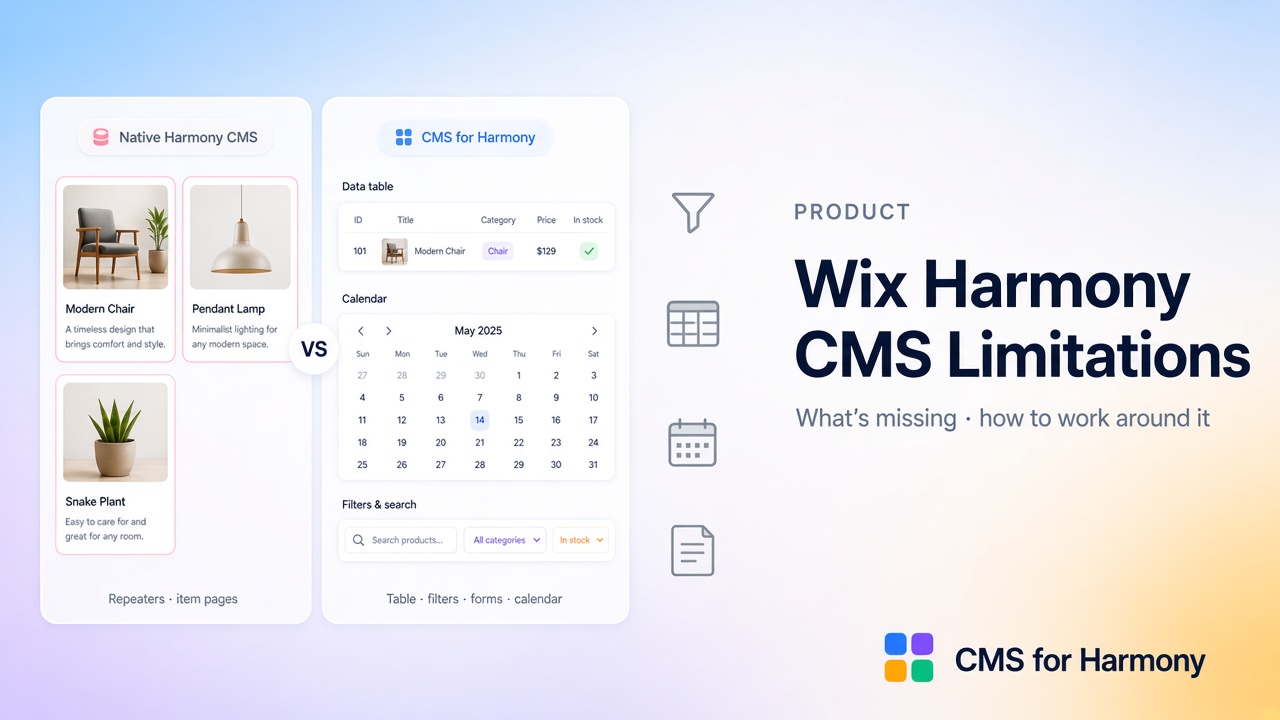
Wix Harmony includes a built-in CMS, but several Classic/Studio patterns are missing or work differently: visitor search and filters on one list, table and calendar layouts, collection-backed forms, richer field displays (galleries, references, address, color), catalog checkout from CMS items, and Google Sheets as a live data source. CMS for Harmony does not bind native Text, Image, or Button elements—it adds app widgets (Table, Repeater, Slideshow, Media Gallery, Calendar, Dynamic Page, and Form) that cover those gaps on Harmony, Classic, and Studio.
For editor-wide (non-CMS-only) checks before a rebuild, see Wix Harmony Limitations: What to Check Before Building. Also: Harmony guide · CMS guide.
Feature support at a glance
| Need | Native Harmony CMS (today) | CMS for Harmony workaround |
|---|---|---|
| Visitor search & filters on one list | No visitor filter inputs; use separate Repeaters with editor-side filters | Table, Repeater, Calendar, Media Gallery, Slideshow — match conditions, ranges, Color swatches, Top/Side layout |
| Dense inventory / directory | Repeater cards only | Table with columns, sort, and filters |
| Month/week events | Not a calendar layout | Calendar from DATE / DATETIME fields |
| Media galleries | Gallery field type not in Harmony collections | Media Gallery widget + gallery fields on displays and forms |
| Reference / multi-reference | Not in Harmony field types | Show and filter related items; pick a Display field for labels |
| Address & Color display | Limited field set / no specialized layouts | Address as text or map; Color as swatch, hex, or both |
| Collect into a collection | Display-only CMS links; use Wix Forms for capture | Form widget writes into a connected collection |
| Sell CMS items via checkout | Not a CMS catalog checkout path | Enable payments (Pro) → Add to cart / Buy now on displays |
| Google Sheets as live source | Not available | External databases (Pro) on Table, Repeater, Slideshow, Media Gallery, Calendar |
| Classic & Studio | Harmony-specific CMS model | Same app widgets on Classic, Studio, and Harmony |
For a fuller side-by-side, see Native Harmony CMS vs CMS for Harmony.
Gaps that matter most (and how to work around them)
Filters and searchable lists
Native Harmony does not give visitors filter inputs on a single connected list. CMS for Harmony adds search & filters on Table, Repeater, Calendar, Media Gallery, and Slideshow—including equals/contains/ranges, Show filter vs Choose value, Color swatches, and Top or Side filter layout.
Tables and dense directories
If you need a spreadsheet-like inventory, use the Table widget instead of stacking card Repeaters.
Calendars
Event sites that need a month/week view use the Calendar widget mapped to date fields—not a native Harmony calendar CMS layout.
Forms that save into CMS
Native CMS links are display-oriented. Use the Form widget to collect text, phone, Color, images, video, and Media Gallery uploads into a collection. On Pro, Form also supports pay-on-submit via Wix Checkout (separate from catalog Add to cart / Buy now).
Richer fields: galleries, references, address, color, video
Harmony’s native field set is narrower for galleries and references. App displays can show Address (text or map), Color (swatch/hex), Video (modal / play on click / muted autoplay), and reference filters with a Display field for labels.
Payments without building a full Stores catalog
Pro: Enable payments on a collection (Name + Price required), then show Add to cart / Buy now on Repeater, Table, Dynamic Page, Media Gallery, and Slideshow. Checkout uses the site’s Wix cart—items stay in your CMS collection, not Wix Stores products. Calendar has no catalog CTAs; Form uses separate pay-on-submit.
Google Sheets as a data source
Pro: External databases connect Google Sheets to Table, Repeater, Slideshow, Media Gallery, and Calendar. Not supported: Form, Dynamic Page, item page links, or catalog payments on sheet connections.
Choose native vs app
Stay native when:
- Small lists of simple text and images
- You want pink/blue linked design elements inside a Harmony Repeater
- Native item pages are enough
- You do not need visitor-driven filtering
Add CMS for Harmony when:
- Visitors must search/filter one display
- You need Table, Calendar, Slideshow, Media Gallery, or collection-backed Form
- You need references, address/color layouts, or gallery fields in the display
- You sell CMS items via checkout or power lists from Google Sheets (Pro)
- You want the same toolkit on Classic or Studio as well as Harmony
Plan requirements (app)
| Capability | Plan |
|---|---|
| Core widgets (Table, Repeater, Slideshow, Media Gallery, Calendar, Dynamic Page, Form) | Free tier available; branding/limits follow app plan |
| Catalog payments (Add to cart / Buy now) | Pro |
| Form pay-on-submit | Pro |
| Google Sheets external database | Pro |
Exact limitations to remember
- CMS for Harmony = app widgets only — never native Text/Image/Button binding.
- “Cards” = Repeater layout, not a separate widget.
- Catalog payments work on the live site only (not Editor preview).
- Sheets cannot power Form, Dynamic Page, or catalog payments.
- Dynamic Page visitor search/filters are not included (formatting options differ).
FAQ
Does Wix Harmony have a CMS?
Yes. Harmony ships a built-in CMS for connected Repeaters and item pages. CMS for Harmony is an optional App Market app for layouts and visitor tools native Harmony does not cover yet.
Can I bind CMS fields to native Harmony Text or Image?
Not with CMS for Harmony. Use native Harmony CMS for that binding model, or add app widgets for Table, filters, Form, and related layouts.
Is CMS for Harmony a replacement for native CMS?
No. They are complementary: native for design-system Repeaters and item pages; the app for specialized widgets and cross-editor sites.
Do I need Pro to use filters?
No. Search & filters on supported display widgets are not gated as Pro-only. Pro is required for catalog payments, Form pay-on-submit, and Google Sheets external databases.